
Businesses›Integrations›API
API Fidly · v1.0

Connect your tools to Fidly.

Online shop, CRM, till, ERP or business application: the Fidly API creates your invoices, sends them via Peppol, imports your documents and syncs your contacts. No more double entry, and your legal invoicing stays centralised in Fidly.
✓ REST API in JSON
✓ OAuth2, per-resource permissions
✓ Isolated sandbox
✓ Peppol sending via API
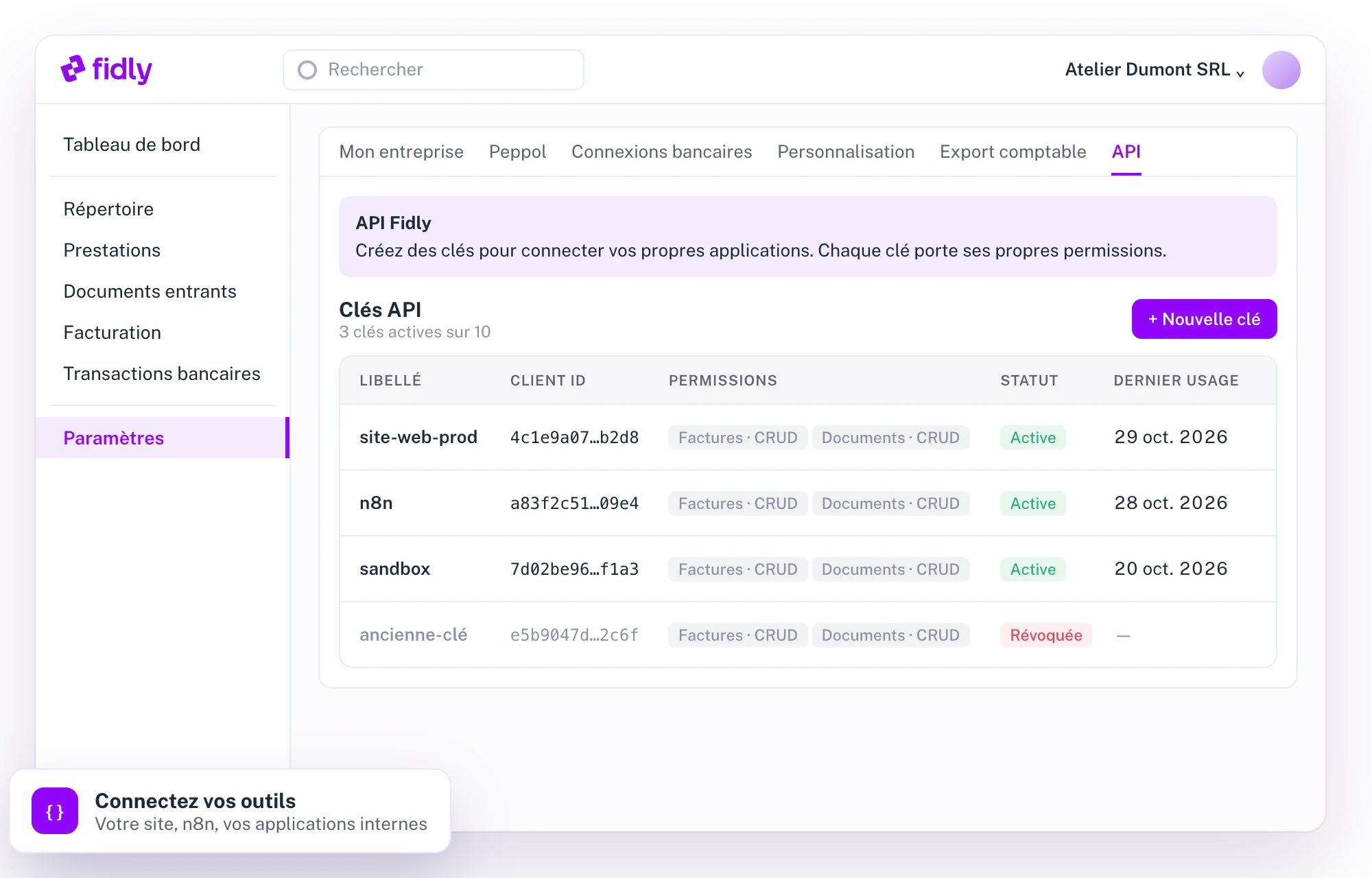
Fidly : gestion des clés d'API et de leurs permissions
In short
01

Your software talks to Fidly, automatically.

The Fidly API lets your software, or a partner’s, read and write your business data: documents, contacts, bank accounts, journals and brandings. Whatever you do in the app, your code can do too.

01

Invoice from your tools

A sale in your shop or CRM creates the invoice in Fidly and sends it via Peppol.

02

Import your documents

PDFs, images or Peppol XML: Fidly analyses them just like a drag and drop.

03

Sync your data

Customers, suppliers, delivery addresses, accounts and journals, with no double entry.

04

Track statuses

Payment, Peppol sending, hand-off to the accountant: everything is readable in real time.

Get started
02

Four steps to your first invoice via API.

1

Create a key

Settings, API tab: label, environment (production or sandbox), validity period and permissions.

2

Get a token

Your client_id and client_secret are exchanged for an access token valid for one hour, renewable.

3

Test in the sandbox

Demo data, the same validations and error codes as in production, without changing anything.

4

Go live

A production key, and your integration works on your real data.

Create and send via Peppol, in one call
POST https://api.fidly.be/documents?send_peppol=true
Authorization: Bearer eyJhbGciOi…
{
"type": "sale_invoice",
"relation_id": "8f3c2a…",
"lines": [{
"item_name": "Consulting",
"quantity": 4,
"unit_price": 95,
"vat_code": "standard",
"vat_rate": 21
}]
}
→ 201: number, VAT, totals and structured reference calculated by Fidly
What the API covers
03

The scope of the API, resource by resource.

01

Documents

Read · create · update · delete
–
Types
Sales invoices and credit notes, self-billing, pro formas, and all received documents (Peppol, email, upload…).
Creation
You provide the contact and the lines (up to 500); Fidly calculates the number, VAT, totals, due date and structured reference.
VAT
Standard rate, exempt, 0%, reverse charge, intra-community, export, not subject to VAT. Discounts and surcharges per line or per document.
Peppol sending
On creation or later, with status tracking: sent, accepted, rejected. A failed send can be retried.
Files
Download of the PDF and the UBL XML, attachments (PDFs, images, CSV, spreadsheets), import of documents analysed automatically.
Payments
Recording of a payment Fidly can’t see (cash, untracked account), even on a document already sent.
Safeguards
A document that has been sent or handed to the accountant can no longer be changed; only the last number of a sequence can be deleted.
02

Contacts

Read · create · update · delete
–
Companies and people
A single resource for your customers and suppliers, with address, language, VAT number and Peppol ID.
Duplicates
A company that is already known (same VAT number, identifier or Peppol address) is flagged rather than duplicated.
Delivery addresses
Saved on the contact and reusable on its documents, with their Peppol ID (GLN).
03

Bank accounts

Read · create · update
–
Reading
Connected accounts (PSD2), from CODA statements or manual, with their balance when Fidly syncs it.
Management
Creation of manual accounts (verified IBAN) and choice of the default account shown on documents.
04

Journals

Read · create · update
–
Numbering
Free format (code, year, month, financial year, counter) and monthly, yearly or per-financial-year reset.
Default journal
One per category (sales, credit notes, purchases, incoming); it receives documents created without a specified journal.
05

Brandings and reference lists

Read
–
Brandings
The visual identities of your documents, and the choice of the default one.
References
Units, currencies and countries, translated into French, Dutch, English and German.
06

Security and conventions

For your developers
–
Authentication
OAuth2 client credentials, one-hour token, single-use refresh token. Secrets stored hashed at Fidly.
Keys
Up to 10 active keys, valid from 30 days to 1 year or unlimited, revocable instantly.
Permissions
Create, read, update, delete: each action is granted resource by resource.
Conventions
JSON, paginated and filterable lists, all-or-nothing requests, errors with a readable code and a request ID for support.
Good to know
04

Before you start.

Plan

The API is included in the Growth plan

Along with services, automatic reminders and email campaigns. A sandbox key is enough to build and test your integration.

Good to know

The API goes further than the app

It accepts combinations the interface doesn’t show, such as non-Belgian VAT rates or several discounts per line. Sending by email is not yet available via the API: sending goes through Peppol.

FAQ
05

Questions about the API.

Which plan includes the API?
The Growth plan. You can create a sandbox key to build and test your integration before going live.
How do I get my keys?
In your settings, API tab, “New key” button. The client secret is shown only once: keep it somewhere safe.
Can I test without touching my data?
Yes. A sandbox key works on demo data, with exactly the same validations and error codes as in production, but nothing is saved.
Can I send my invoices via Peppol through the API?
Yes, on creation or later, and you track the sending status until the recipient accepts. Sending by email is not yet available via the API.
How do I limit what an integration can do?
Each key has its own permissions (create, read, update, delete) per resource and a validity period, and can be revoked at any time from the interface.
Which plan includes the API?
The Growth plan. You can create a sandbox key to build and test your integration before going live.
How do I get my keys?
In your settings, API tab, “New key” button. The client secret is shown only once: keep it somewhere safe.
Can I test without touching my data?
Yes. A sandbox key works on demo data, with exactly the same validations and error codes as in production, but nothing is saved.
Can I send my invoices via Peppol through the API?
Yes, on creation or later, and you track the sending status until the recipient accepts. Sending by email is not yet available via the API.
How do I limit what an integration can do?
Each key has its own permissions (create, read, update, delete) per resource and a validity period, and can be revoked at any time from the interface.
Which plan includes the API?
The Growth plan. You can create a sandbox key to build and test your integration before going live.
How do I get my keys?
In your settings, API tab, “New key” button. The client secret is shown only once: keep it somewhere safe.
Can I test without touching my data?
Yes. A sandbox key works on demo data, with exactly the same validations and error codes as in production, but nothing is saved.
Can I send my invoices via Peppol through the API?
Yes, on creation or later, and you track the sending status until the recipient accepts. Sending by email is not yet available via the API.
How do I limit what an integration can do?
Each key has its own permissions (create, read, update, delete) per resource and a validity period, and can be revoked at any time from the interface.
Chloé, from the Fidly team
Hi, I'm Chloé,
A question about Fidly, its features or getting started? I'm here to advise and guide you.
Talk to us
1 month free · No commitment

An integration project?

We offer you 1 month free so you can see for yourself.