
Businesses›Modules›Expenses & documents
Expenses module

Your purchase invoices, filed by themselves.

Peppol, email or a photo taken with the mobile app: your expenses arrive in Fidly, you approve them and track their payment.
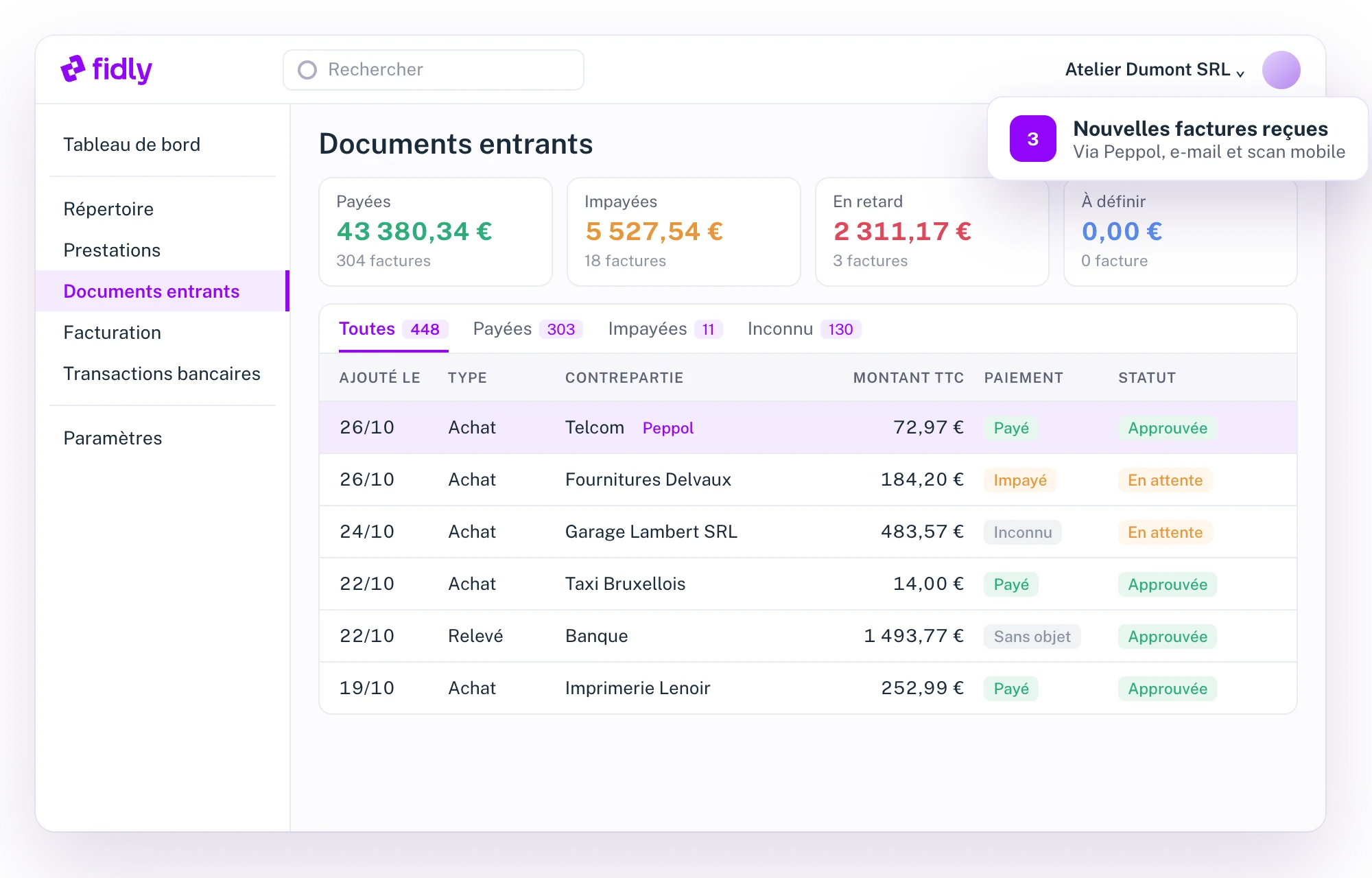
✓ Peppol reception
✓ Monitored email address
✓ Scan with the mobile app
✓ QR code payment
Fidly : documents entrants reçus par Peppol, e-mail et scan
At a glance
01

No more invoices lost in an inbox.

Every incoming document is read, filed and linked to its supplier. All you have to do is approve.

01

Three ways in

Peppol, a monitored email address and scanning with the mobile app.

02

Real-time notifications

The app alerts you to every invoice received via Peppol.

03

Easy payment

Structured communication and a QR code to pay in one go.

04

Approval

Approve a document or a batch: it goes to your accountant.

How it works
02

Four steps, from receipt to payment.

1

Documents arrive

Via Peppol, by email or photographed with the mobile app.

2

Fidly reads

Supplier, amounts, dates and due date picked up automatically.

3

You approve

Accept or reject a Peppol invoice, approve your expenses.

4

You pay

QR code and structured communication; payment status is tracked.
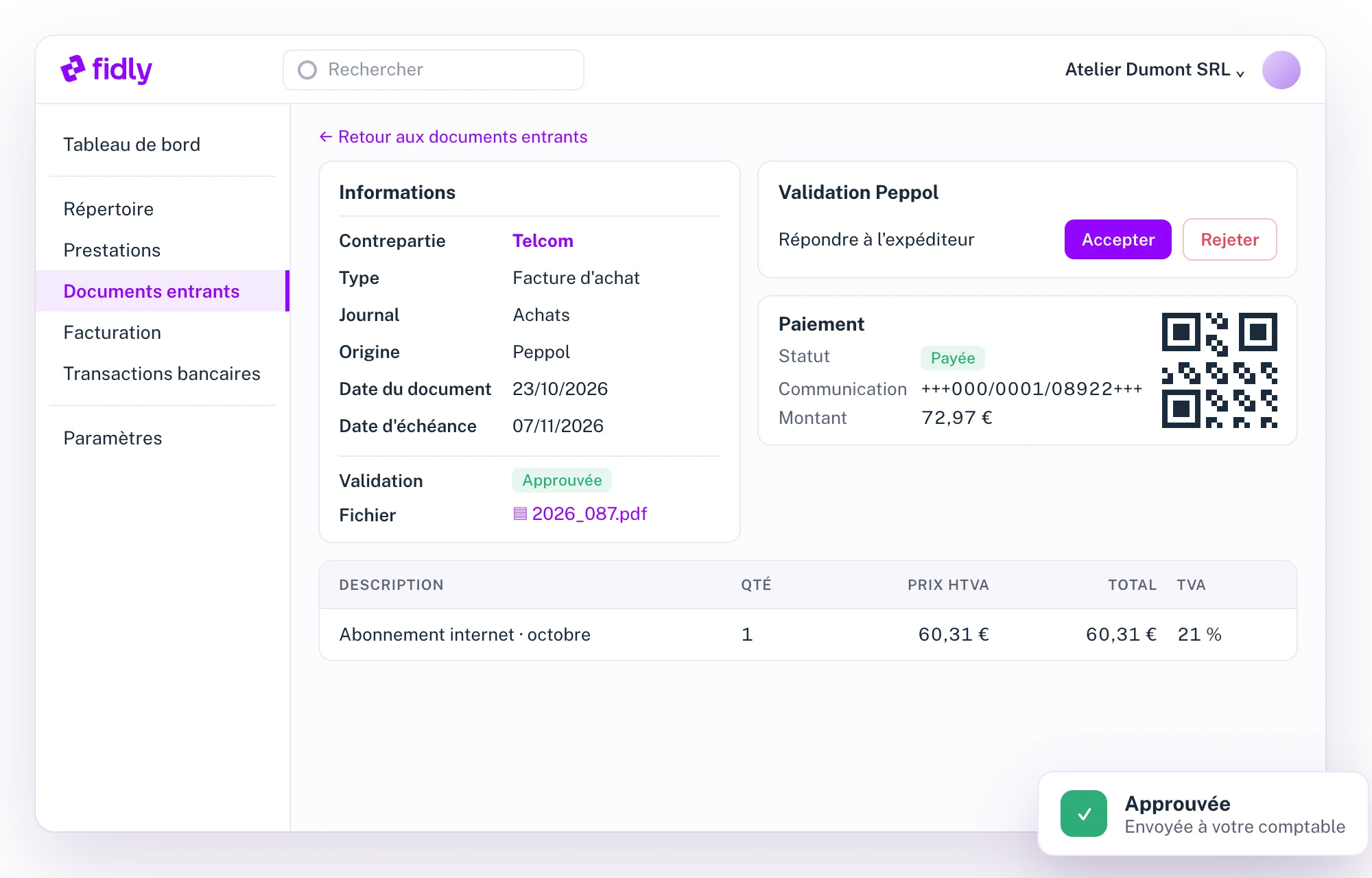
Détail d'une facture reçue, avec paiement par code QR
New Peppol invoice
SupplierTelcom
Amount€72.97
Due date07/11/2026
StatusTo approve
Technical specifications
03

What the module covers, point by point.

01

Receipt

4 channels
–
Peppol
Invoices received on the Peppol network, with a reply to the sender: accept or reject.
Monitored email address
A dedicated address: documents sent to it arrive in Fidly.
Mobile scan
A photo of a receipt or invoice from the app.
Drag and drop
From your computer, one file or several.
02

Processing

4 items
–
Reading
Supplier, amounts, dates and due date picked up automatically.
Document types
Purchase invoiceStatementSupporting document
Journals
Purchase journal or a journal of your choice.
Comment
A note attached to the document before approval.
03

Payment

3 items
–
Statuses
PaidUnpaidOverdueUnknown
QR code
Pay with a single scan, with the structured communication.
Update
Mark a document or a batch as paid.
04

Mobile app

3 items
–
Notifications
An alert for every invoice received via Peppol.
Scan
A photo of your supporting documents, sent straight to Fidly.
Viewing
Your documents and their statuses, anywhere.
For your accountant
04

Your accountant has the documents, without asking for them.

Your accountant

Every approved document reaches them

If your accountant uses Fidly, they receive your expenses with their supporting documents. No more chasing you for missing documents.

Optional

Automatic approval

Automatically approve documents added by hand or received via Peppol.

FAQ
05

Questions about expenses and documents.

How do my suppliers send me their invoices?
Via Peppol if they're connected to it, or by email to your monitored address. Other documents you scan with the mobile app.
Can I scan a receipt with my phone?
Yes. Take a photo with the Fidly app: it goes straight into your incoming documents.
How do I pay a received invoice?
With the QR code and structured communication shown on the invoice, then mark it as paid.
Can I reject a Peppol invoice?
Yes. You accept or reject the invoice, and the sender receives your reply over the Peppol network.
What does my accountant receive?
If they use Fidly, every approved document with its supporting document. You can also make approval automatic.
How do my suppliers send me their invoices?
Via Peppol if they're connected to it, or by email to your monitored address. Other documents you scan with the mobile app.
Can I scan a receipt with my phone?
Yes. Take a photo with the Fidly app: it goes straight into your incoming documents.
How do I pay a received invoice?
With the QR code and structured communication shown on the invoice, then mark it as paid.
Can I reject a Peppol invoice?
Yes. You accept or reject the invoice, and the sender receives your reply over the Peppol network.
What does my accountant receive?
If they use Fidly, every approved document with its supporting document. You can also make approval automatic.
How do my suppliers send me their invoices?
Via Peppol if they're connected to it, or by email to your monitored address. Other documents you scan with the mobile app.
Can I scan a receipt with my phone?
Yes. Take a photo with the Fidly app: it goes straight into your incoming documents.
How do I pay a received invoice?
With the QR code and structured communication shown on the invoice, then mark it as paid.
Can I reject a Peppol invoice?
Yes. You accept or reject the invoice, and the sender receives your reply over the Peppol network.
What does my accountant receive?
If they use Fidly, every approved document with its supporting document. You can also make approval automatic.
Chloé, from the Fidly team
Hi, I'm Chloé,
A question about Fidly, its features or getting set up? I'm here to advise and support you.
Talk to us
1 month free · No commitment

See Fidly with your own expenses.

We offer you 1 month free, so you can see for yourself.