
Accounting firms›Modules›Reconciliation
Reconciliation module

Payments and invoices matched, in a few clicks.

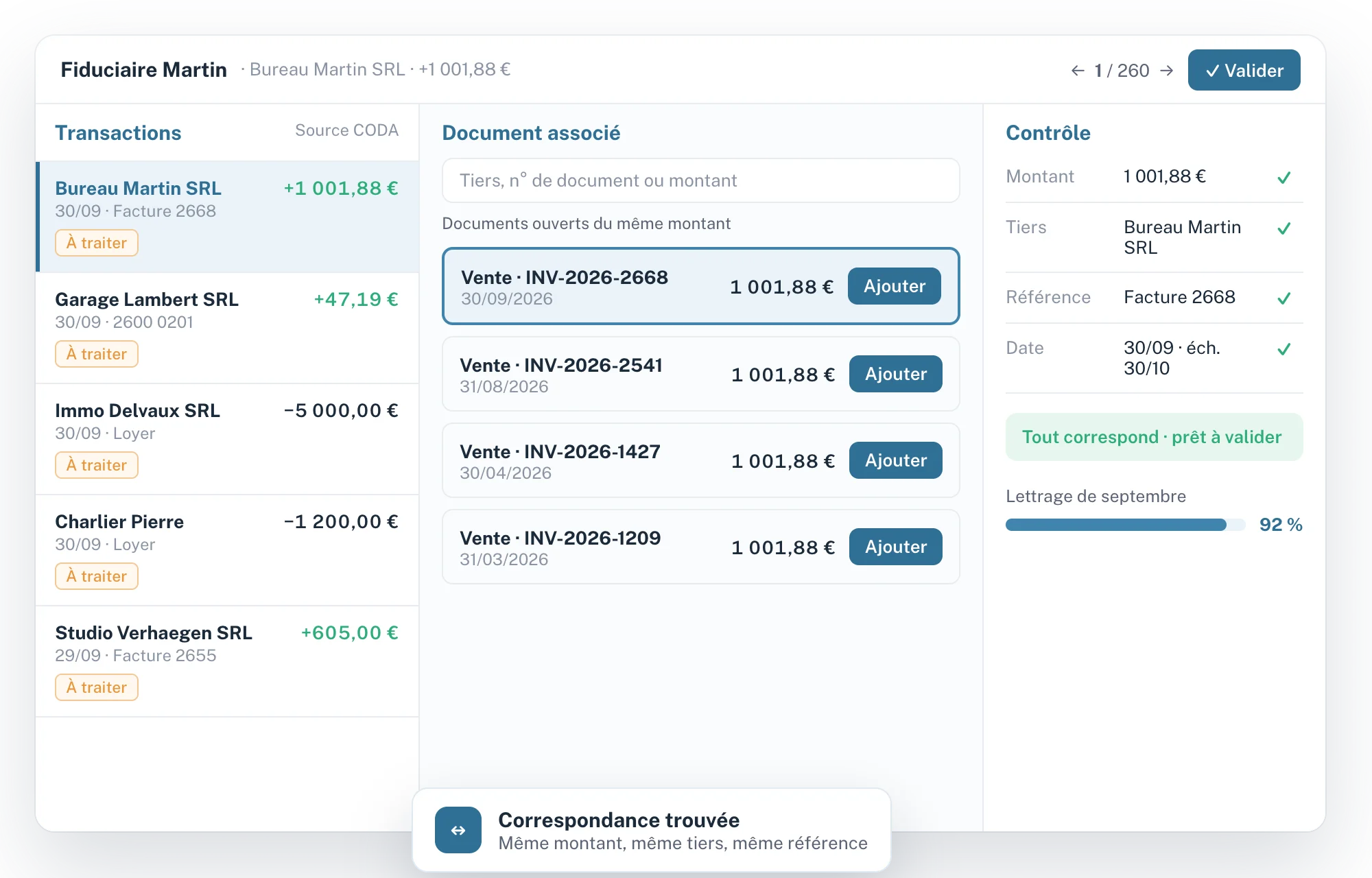
Fidly reads your files' bank statements and credit card statements, finds the matching invoice and suggests the reconciliation. You validate, and the entries go to your software.
✓ CODA and credit cards
✓ Suggested matches
✓ Tracking per file
✓ Sent to your accounting software
Fidly : lettrage des transactions bancaires
At a glance
01

The month's reconciliation, file after file, without spreadsheets.

Fidly compares each transaction with open documents of the same amount, third party and reference, and shows you why.

01

Suggested matches

For each transaction, the open documents that match.

02

Visible checks

Amount, third party, reference and date checked for each suggestion.

03

File tracking

The remaining work, file by file, at a glance.

04

Sent to your software

Reconciliations and entries sent to your accounting software.

How it works
02

Four steps, from statement to reconciliation.

1

Transactions arrive

CODA bank statements and credit card statements from your files, placed in a work queue.

2

Fidly searches

Open documents with the same amount, third party and reference.

3

You decide

Validate the suggestion, reject it or look for another document.

4

Sending

Reconciliations and entries go to your accounting software.

Transaction rapprochée de la bonne facture
Match found
Amount€1,001.88 ✓
Third partyBureau Martin SRL ✓
ReferenceInvoice 2668 ✓
StatusReady to validate
Technical specifications
03

What the module covers, point by point.

01

Transactions

3 items
–
Source
CODA bank statements and credit card statements, exportable to the financial journals of your accounting.
Work queue
Transactions to process, file by file.
Search
Search for a document by third party, number or amount.
02

Matching

4 items
–
Suggestions
Open documents matching the amount, third party and reference.
Checks
Amount, third party, reference and date checked for each suggestion.
Decisions
Validate the suggestion, reject it or look for another document.
Settings
The firm's own matching rules.
03

Accounting

2 items
–
Sending reconciliations
Validated matches sent to your accounting software.
Sending entries
Financial entries generated and sent.
04

Tracking

2 items
–
Overview
Remaining work per file, just like pre-accounting.
Progress
Reconciliation progress per file and per month.
For your clients
04

An internal tool for the firm.

Today

Nothing to change

Reconciliation is done at the firm: your clients have nothing to do.

Coming soon

Link with the client space

The link with your clients' Fidly space will follow.

FAQ
05

Questions about the Reconciliation module.

Where do the transactions come from?
From your files' CODA bank statements, and also from credit card statements, which can be exported to the financial journals of your accounting.
How does Fidly find the right invoice?
It compares each transaction with the file's open documents: amount, third party, reference and date.
Are credit card statements supported?
Yes. They are reconciled just like bank statements, and can be exported to a financial journal in your accounting software.
Does the reconciliation go into my accounting software?
Yes. Validated matches and entries are sent to your accounting software.
Can I use only the Reconciliation module?
Yes. Each module is switched on separately, and you add the others whenever you like.
Where do the transactions come from?
From your files' CODA bank statements, and also from credit card statements, which can be exported to the financial journals of your accounting.
How does Fidly find the right invoice?
It compares each transaction with the file's open documents: amount, third party, reference and date.
Are credit card statements supported?
Yes. They are reconciled just like bank statements, and can be exported to a financial journal in your accounting software.
Does the reconciliation go into my accounting software?
Yes. Validated matches and entries are sent to your accounting software.
Can I use only the Reconciliation module?
Yes. Each module is switched on separately, and you add the others whenever you like.
Where do the transactions come from?
From your files' CODA bank statements, and also from credit card statements, which can be exported to the financial journals of your accounting.
How does Fidly find the right invoice?
It compares each transaction with the file's open documents: amount, third party, reference and date.
Are credit card statements supported?
Yes. They are reconciled just like bank statements, and can be exported to a financial journal in your accounting software.
Does the reconciliation go into my accounting software?
Yes. Validated matches and entries are sent to your accounting software.
Can I use only the Reconciliation module?
Yes. Each module is switched on separately, and you add the others whenever you like.
Chloé, from the Fidly team
Hi, I'm Chloé,
A question about Fidly, its features or getting set up? I'm here to advise and support you.
Talk to us
Free demo · No commitment

See the module with your own statements.

A demo focused on reconciling your files, with your questions.